How-to
How to send a wedding invitation on WhatsApp the right way (link, PDF or video?)
5 November 2026 · 4 min read · InviteFlow team
Your wedding date is fixed, the guest list is ready, and now the question is how to send the invitation on WhatsApp. A photo? A PDF? A video? A link? Each one reaches guests in a different way. This post explains how to send a wedding invitation on WhatsApp in India the right way, with what works, what does not, and one simple message you can copy.
The four common ways to send it
Most families use one of these four:
- A photo of the card
- A PDF of the card
- A video invitation
- A link to an invitation website
Each has a place. The right one depends on your guests, not on what is trendy.
Photo: quick, but easy to lose
A photo is the fastest. It opens instantly and everyone can see it. But:
- WhatsApp compresses images, so small text can turn blurry
- Venue and map are not clickable
- Guests scroll past it in a busy group
A photo works for close family where you will also call. It is not enough on its own for guests who need directions.
PDF: sharp, but slow to open
A PDF keeps the design sharp and can hold more pages. But:
- Some phones show a plain file icon, and people do not tap it
- Large files take time on a slow network
- Links inside a PDF are easy to miss
A PDF is good for formal guests, like office colleagues, who may want to save the file. Keep it small, ideally under a few MB.
Video: emotional, but heavy
A video invitation feels special. Music, photos and names make people smile. But:
- Files are large, and compression reduces quality
- Guests cannot quickly find the date and venue
- It cannot be updated after you send it
A video works best as the first message, followed by a link or text with the details.
Link: always up to date
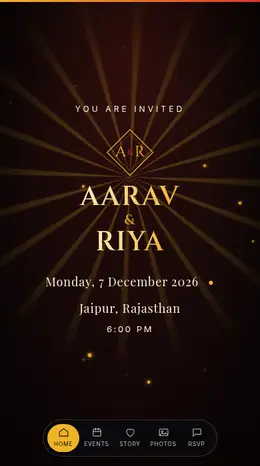
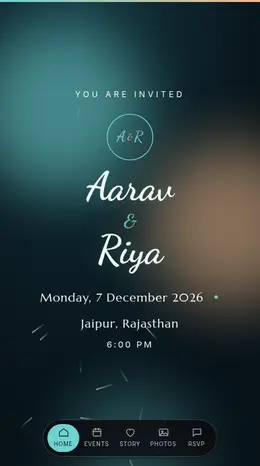
A link to an invitation website opens in the browser. Date, venue, map and RSVP are in one place, and you can fix a detail after sending. How InviteFlow works explains the steps. The weak point is that some guests, usually elders, may not trust a link from an unknown number. Send it from your own number and mention who you are.
A simple comparison
| Format | Looks sharp | Easy to read details | Can be updated | Best for |
|---|---|---|---|---|
| Photo | Medium | Low | No | Close family |
| High | Medium | No | Formal guests | |
| Video | High | Low | No | Emotional first message |
| Link | High | High | Yes | Most guests |
The message to send with it
The message matters as much as the file. Try this:
Namaste Sharma ji, with Ganesh ji's blessings, we are happy to invite you to the wedding of Aarav and Meera on 12 December. Please see the details and the venue map here: [link]. We would be glad to have you with us.
Keep the first line personal, put the link on its own line, and avoid forwarding a message that says "Forwarded many times". Write a fresh message for each person or small group.
Send to individuals, not only groups
A group post gets lost. Send the invitation to each family on their own, or in small groups. If you have 300 contacts, you can use a broadcast list, but remember that only people who saved your number will receive it. Do not add strangers to a group without asking.
Timing: when to send
- Out-of-town guests: 3 to 4 weeks before
- Local guests: 1 to 2 weeks before
- Reminder: 2 to 3 days before, with the venue link again
Avoid sending late at night. Morning or early evening gets a better response.
Mistakes to avoid
- Only a forward. A message with no personal line feels like spam.
- No venue map. Guests will call you for directions.
- A huge file. If it takes ten seconds to open, many will not.
- No RSVP. Ask people to confirm so you can plan food and seating.
- Skipping elders. Call them in addition to sending the message.
You can read more answers on the FAQ page, and see how functions and maps look on a wedding invitation website.
Frequently asked questions
Is it okay to send a wedding invitation on WhatsApp in India? Yes, many families do. Add a phone call for elders and close relatives.
Should I send a PDF or a link? A link is easier to open and can be updated. A PDF is better if guests want to save the card.
Will the video quality drop? WhatsApp compresses videos, so keep them short and send the details in text too.
How many people can I send to at once? WhatsApp has limits on broadcast and forwarding. Send in small batches and personal messages when you can.
Pick the format that suits each guest, add a personal line, and always include the venue map.
 Premium
 Premium